← Back to Home

How to Create a Football Training Session: A Step-by-Step Guide

From blank calendar to complete session — how to build professional training plans quickly using ProCoach4All

Creating a football training session from scratch can feel daunting — especially when you're doing it week after week across a long season. What should the theme be? Which exercises fit your squad size? How do you structure the time?
Video thumbnail

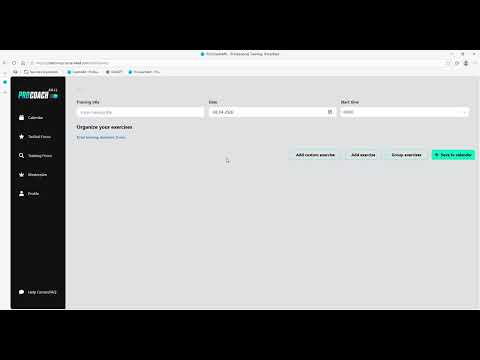
Here is the complete process in ProCoach4All, from opening the calendar to saving a finished plan.

Step 1 — Open the calendar and create a new session

Everything in ProCoach4All starts in the calendar. Select the date of your training session and confirm the new entry. Give the session a title and set a start time — both important for keeping your calendar organised.

Step 2 — Set your session theme

Before adding any exercises, decide the theme or objective of your session. Something like 'passing and movement' or 'defending in 1v1 situations' gives you a clear filter for the exercise search. A session with a clear theme is more educationally effective than a collection of unrelated exercises.

Plan your sessions in minutes, not hours.

Try ProCoach4All →

Step 3 — Search and add exercises

With your theme set, go to the exercise library and use the filters. Filter by your tactical focus first, then by player count, then by age group. Preview each exercise's animation before adding it — this takes seconds and ensures every drill fits your session.

Step 4 — Structure and sequence your session

Once your exercises are added, check the overall structure. A well-structured session follows a progression: activation in the warm-up, technical work in the first main block, more game-realistic exercises in the second main block, and a small-sided game to finish.

Step 5 — Add coaching notes

For each exercise, add specific coaching notes — points to emphasise, common errors to watch for, or variations to try if the group finds the exercise too easy or too hard.

Step 6 — Save to your calendar

Once you're happy with the session, save it to your calendar. Saved sessions can be duplicated to future dates with a single click — meaning a session that works well can be reused with minimal effort.

Using the MasterPlan as your foundation

If building sessions from scratch feels like too much work, the MasterPlan gives you a complete, professionally designed season with a single click. Every session is already structured and age-appropriate. You can then customise individual sessions as needed.

Ready to transform your training?

Join coaches already using ProCoach4All to plan better sessions in less time.

Get Started

Frequently Asked Questions